> ## Documentation Index
> Fetch the complete documentation index at: https://docs.chatpress.ai/llms.txt
> Use this file to discover all available pages before exploring further.
# WooCommerce
> Train you WooCommerce products
WooCommerce integration is currently in beta. If you need access, please
contact [contact@chatpress.ai](mailto:contact@chatpress.ai)
ChatPress.ai smartly detects if the user is asking about products and searches your WooCommerce store for relevant products and presents them to your users.
## Configure your WooCommerce API Keys
We need read access api keys to read your WooCommerce products and train the AI. Here is how you can create these keys.
Once you have created the keys, add them in the [ChatPress.ai dashboard](https://chatpress.ai/woocommerce).
## Select products
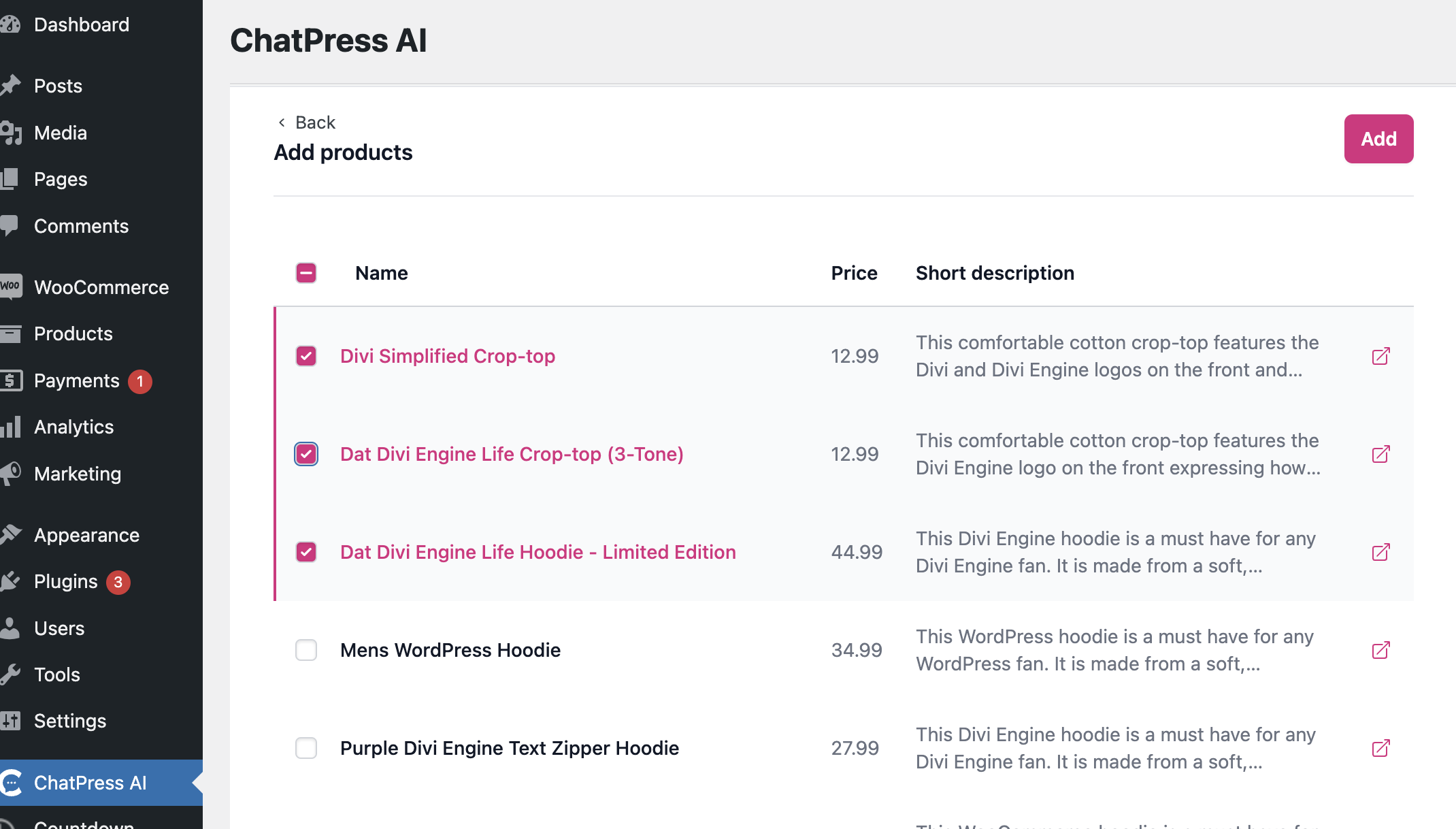
In your WordPress admin and within ChatPress.ai plugin, now you can select products to be included in your AI chatbot
 ## Enable WooCommerce
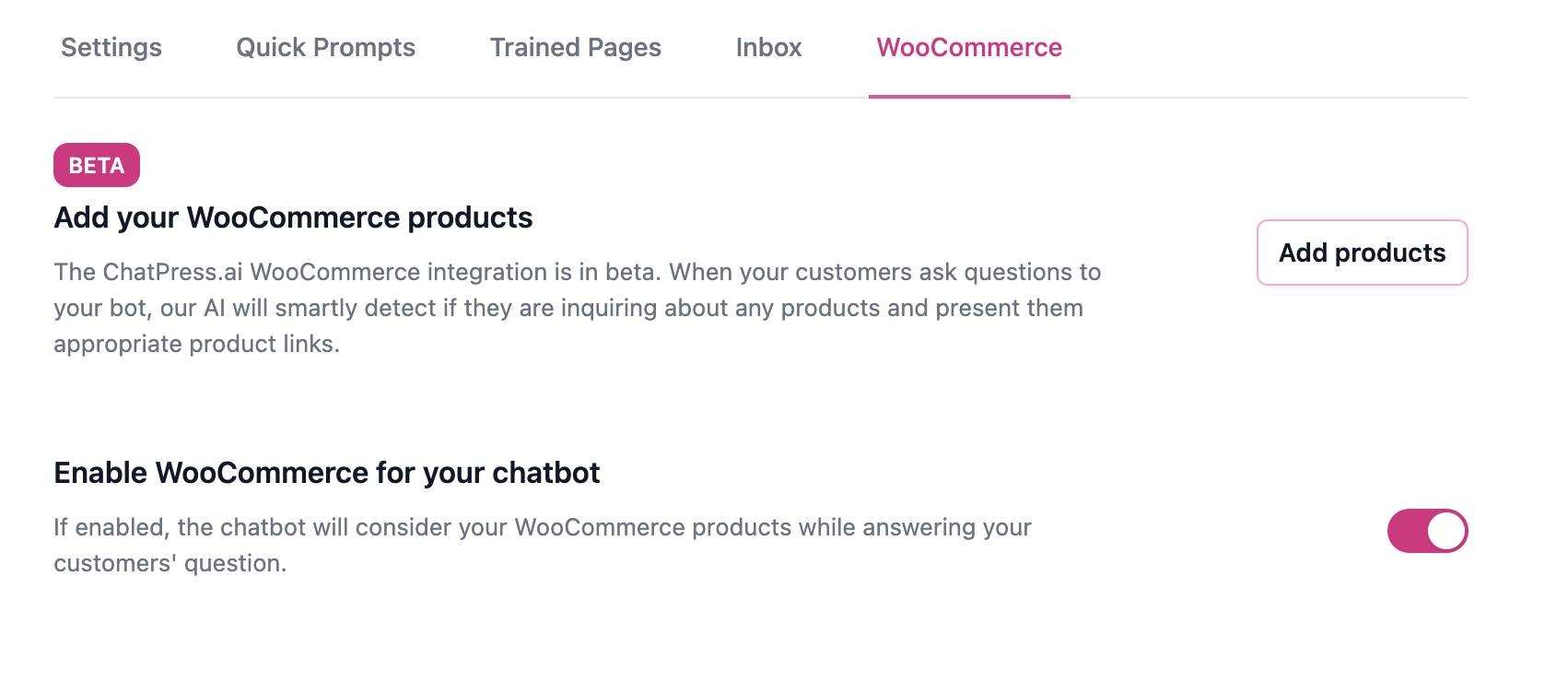
Once your products are added, you will have to explicitly enable the WooCommerce integration for your chatbot.
## Enable WooCommerce
Once your products are added, you will have to explicitly enable the WooCommerce integration for your chatbot.
 ## Delete products
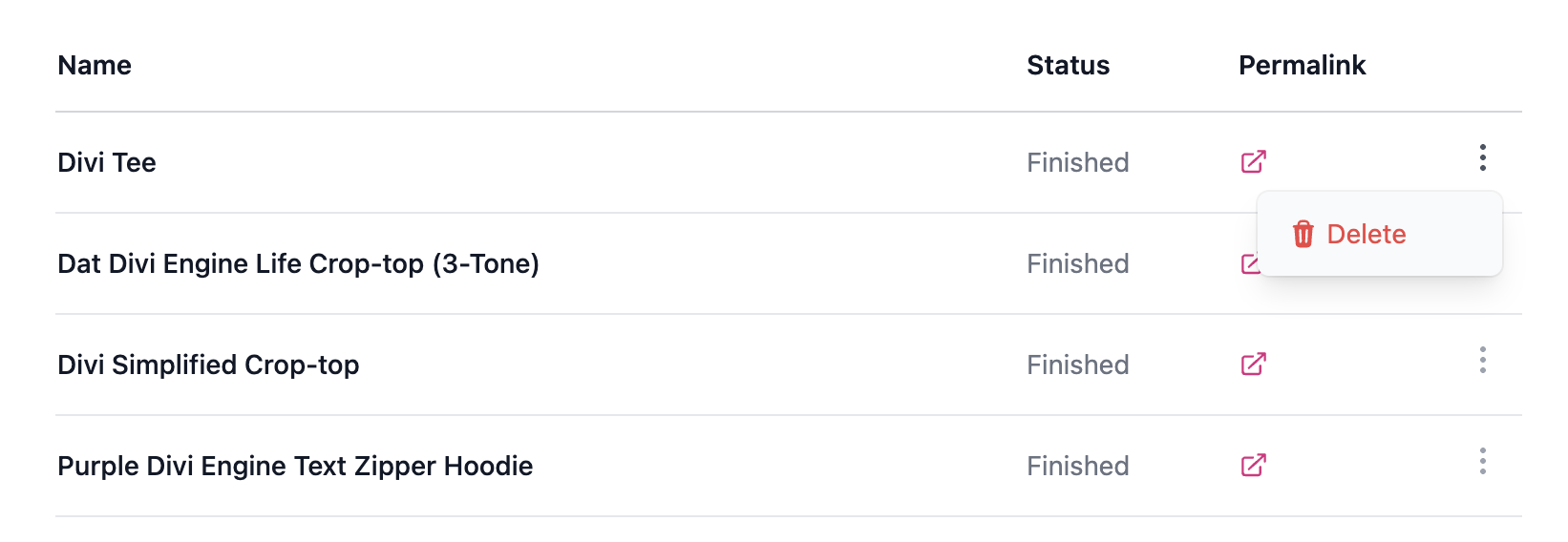
Similar to page/post, you can delete certain products from your chatbot data. This does not affect your WooCommerce store.
## Delete products
Similar to page/post, you can delete certain products from your chatbot data. This does not affect your WooCommerce store.